
To turn off auto-renewal, open the account where you bought the subscription, find its billing or subscription settings, and switch off automatic renewal or cancel the renewal. Where you go depends on how you paid: on the merchant’s own website, in your phone’s app store, or through a payment service. Your plan normally keeps working until the end of the period you have paid for.
This guide covers each route, when you should leave auto-renewal on, and what to check before you switch it off, with renewal figures from merchants listed on Winporter.
First, Find Out Where You Pay
Auto-renewal is controlled wherever the payment is set up. Check your bank or card statement, or the receipt email, for who took the money:
| If the charge came from… | Manage the renewal in… |
|---|---|
| The company itself (for example a host or VPN) | Your account on that company’s website |
| Apple | Your Apple account subscriptions on iPhone, iPad or Mac |
| Google Play | The Google Play Store’s subscriptions page |
| PayPal | PayPal’s automatic payments settings, and the merchant’s own account |
| A reseller or marketplace | The reseller’s account |

How to Turn It Off, by Route
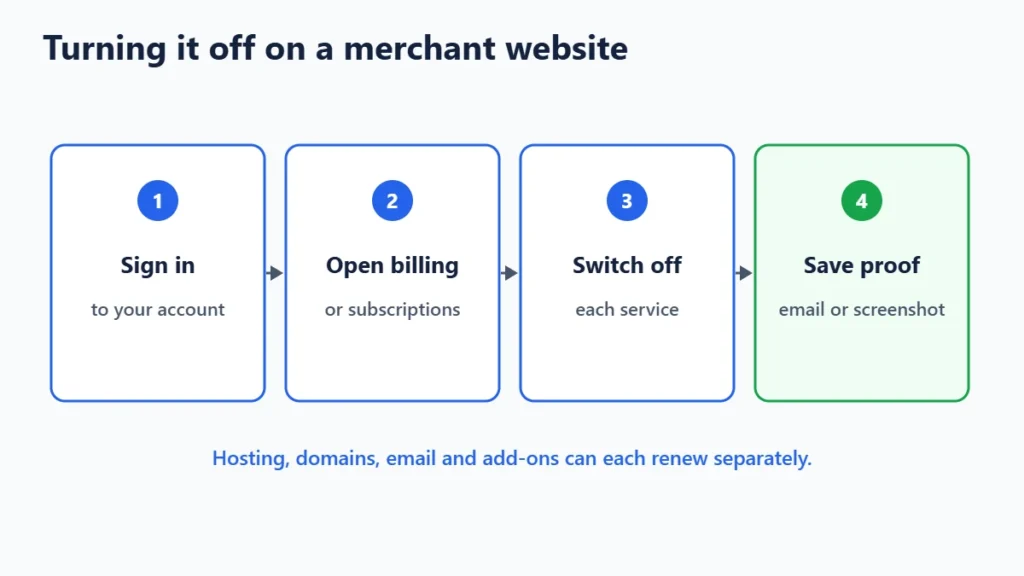
On the merchant’s website
- Sign in to your account.
- Open the billing, subscriptions, services or plan section. Hosting dashboards often list each service separately: hosting, domains, email and add-ons.
- Find the auto-renew setting for the service, or a “cancel renewal” or “cancel at end of term” option.
- Confirm, and keep the confirmation email or screenshot.
If you cannot find the option, contact support and ask them to disable auto-renewal. Ask for written confirmation.
On an iPhone or iPad (Apple)
Open Settings, tap your name, then Subscriptions. Choose the subscription and tap Cancel Subscription. If you see no cancel button, it has already been cancelled.
On Android (Google Play)
Open the Google Play Store, tap your profile picture, then Payments & subscriptions, then Subscriptions. Choose the subscription and tap Cancel.
Through PayPal
In PayPal’s settings, look for automatic payments, where you can stop a merchant from charging you again. Also cancel in the merchant’s own account, so the service knows not to renew.
When to Leave Auto-Renewal On
- Domain names. If a domain expires, your website and email stop working, and after a grace period someone else may be able to register it. Leave domains on auto-renew unless you are certain you no longer want them.
- Services your website depends on. Turning off renewal for hosting, SSL or a CDN you still use can take your site offline at the end of the term.
- Plans that renew at the same price. SEOPress PRO licences renew at the same price, according to our SEOPress page, so there is no price jump to avoid.
A middle path is to keep auto-renewal on but set a calendar reminder a few weeks before the date, so you can decide in time.
When Turning It Off Saves Money
Introductory prices usually apply to the first term only; our hosting renewal price comparison shows the jump for eight hosts. These are the renewal rates recorded on our store pages:
| Store | Renews at |
|---|---|
| Bluehost entry plan | $9.99/mo |
| InMotion entry plan | $14.99/mo |
| Hostinger Premium web hosting | $10.99/mo |
| InterServer standard hosting | $7/mo monthly, or $84 for 12 months |
| Proton VPN Plus, after the first 24 months | $83.88 every 12 months |
If you plan to switch provider, downgrade or stop using a tool, turn off auto-renewal well before the date, so you are not charged for a term you do not want. Our guide to saving money on subscriptions covers comparing a renewal against switching.

Five Checks Before You Switch It Off
- Note the renewal date and turn the setting off at least a few days before it. Some merchants take payment early.
- Check every service separately. Hosting, domains, email and add-ons can each renew on their own.
- Back up anything you need before a service ends: website files, databases, emails.
- Keep the confirmation, an email or a screenshot, in case you are charged anyway.
- Check your statement after the date to confirm no renewal was taken.

What If You Have Already Been Charged?
Contact the merchant straight away. Some will refund a renewal if you ask soon after the charge, especially if you have not used the new term. Our guide on getting a refund for a subscription you forgot to cancel covers what to ask and where.
Frequently Asked Questions
Does turning off auto-renewal cancel my plan immediately?
Usually not. The plan keeps working until the end of the period you have paid for, then stops instead of renewing. Check the merchant’s wording to be sure.
Will I lose my data if I turn off auto-renewal?
Not straight away, but when the service ends your data may be deleted after a period set by the merchant. Download or back up what you need first.
Can I turn auto-renewal back on later?
Usually yes, as long as the service has not expired. After it expires, you may have to buy a new plan, at the current price.
Why was I charged after I turned off auto-renewal?
The setting may have been changed after the merchant had already taken the payment, or a different service on the account renewed. Contact the merchant with your confirmation.
The Bottom Line
Turn off auto-renewal where you pay: the merchant’s account, Apple, Google Play or PayPal. Do it before the renewal date, check every service separately, and keep the confirmation. Leave domains and anything your website depends on renewing unless you really mean to let them go. Each store on Winporter shows the renewal prices we found.
