
GPL plugins sold by “GPL clubs” can be legal, but they are not the same as buying from the developer, and nulled plugins are not safe at all. A GPL copy usually comes without the developer’s updates, licence key and support. A nulled plugin has had its licence checks removed by someone unknown, and is a common way for malware to reach WordPress sites. If you want to pay less for premium plugins, there are better routes: free versions, trials, official discounts and multi-site licences.
This guide explains the difference, the real risks, and the legitimate ways to save, with examples from WordPress tools listed on Winporter.
GPL Plugins vs Nulled Plugins vs Buying Direct
| Bought from the developer | “GPL club” copy | Nulled plugin | |
|---|---|---|---|
| Source | The developer’s own site | A reseller redistributing the code | An unknown uploader, often on download sites |
| Code changed? | No | Should not be, but you are trusting the reseller | Yes: licence checks removed, and sometimes more |
| Automatic updates | Yes, with a licence key | Usually no; updates come through the reseller, if at all | No |
| Developer support | Yes | No | No |
| Malware risk | Low | Depends on the reseller | High |
| Funds the developer | Yes | No | No |

Why GPL Copies Are Allowed at All
WordPress is released under the GNU General Public License, and plugins built on it are generally distributed under the GPL too. The GPL lets anyone use, study, change and share the code. That is why GPL clubs can legally resell copies of premium plugins.
What the GPL does not give you is the developer’s service: the licence key, automatic updates through the developer’s servers, support, and use of the product’s name and logo. Those are separate from the code, and they are what you pay the developer for.
The Risks
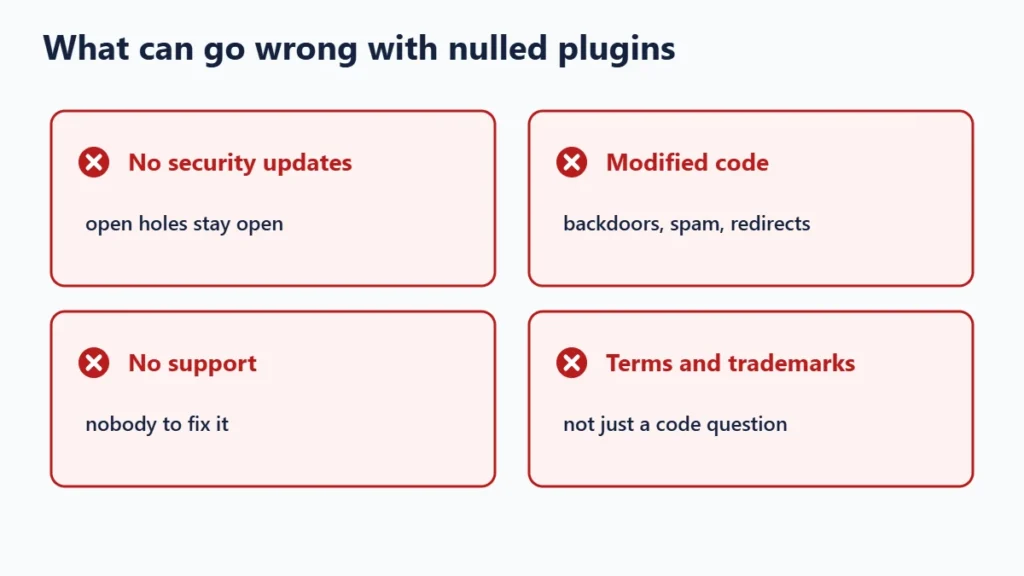
Missing or late updates
Updates fix security holes and keep plugins working with new versions of WordPress and PHP. A GPL copy may lag behind the developer’s release or stop updating altogether. An outdated plugin is one of the most common ways websites get compromised.
Modified code
Nulled plugins have been changed to remove licence checks. Whoever changed them can add anything else as well: hidden links, redirects, spam pages or backdoors that let someone into your site later. Problems like these can surface weeks after installation, and may get your site flagged by browsers or search engines.
No support
If something breaks, the developer will not help with a copy bought elsewhere, and a reseller rarely knows the product.
Terms and trademarks
Redistributing GPL code is allowed, but using a product’s name and branding, or breaking a developer’s terms of service, can be another matter. Using a nulled plugin with licence checks removed is the riskiest case. If in doubt, ask a lawyer; this guide is not legal advice.
Legitimate Ways to Pay Less for Plugins
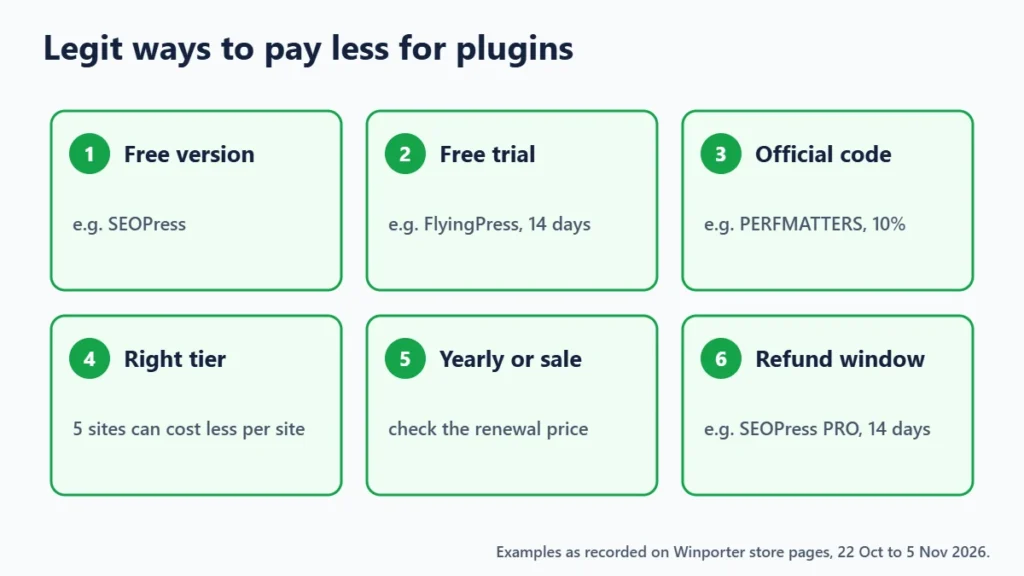
1. Start with the free version
Many premium plugins have a free version that covers the basics. SEOPress, for example, has a free version, according to our SEOPress page. Upgrade only when you need a specific PRO feature.
2. Use the trial
FlyingPress offers every feature free for 14 days, after which a paid licence is needed, according to our FlyingPress page. For server management, FlyWP offers a free 30-day trial and ServerAvatar a free 4-day trial, per our FlyWP and ServerAvatar pages.
3. Use an official code
Some developers publish their own codes. Perfmatters advertises the code PERFMATTERS for an extra 10% off a licence, according to our Perfmatters page.
4. Choose the right licence tier
Multi-site licences can cost far less per site. SEOPress PRO is $49 a year for 1 site, $59 a year for 5 sites and $149 a year for unlimited sites, per our SEOPress page. If you manage several sites, the 5-site plan works out at under $12 per site. Our guide to lifetime licences vs subscriptions covers comparing tiers and lifetime options.
5. Pay yearly, or buy in a sale
ServerAvatar takes 25% off yearly plans plus 2 months free, per our ServerAvatar page. Many plugin developers also run sales around Black Friday; check that the renewal price is still acceptable. Our guide to telling whether a sale is real explains how.
6. Use the refund window to test
SEOPress PRO licences come with a 14-day money-back guarantee, according to our SEOPress page. That is enough to check that a plugin works with your theme before you commit.
How to Check a Plugin Is Genuine
- Download it from the developer’s own site or the WordPress.org plugin directory.
- Activate it with a licence key from your own account on the developer’s site.
- Check that updates arrive in your WordPress dashboard.
- Be wary of any site offering many premium plugins at a fraction of the price with no developer involvement.

Frequently Asked Questions
Are GPL plugins legal?
Redistributing GPL-licensed code is generally allowed. What you do not get is the developer’s updates, licence key, support or branding rights. This is not legal advice.
Are GPL plugins safe?
They can be, if the reseller distributes unmodified code and keeps it updated, but you are trusting the reseller rather than the developer. Buying direct is safer.
What is a nulled plugin?
A premium plugin whose licence checks have been removed so it runs without a paid key. It is typically shared on download sites and is a well-known source of malware.
What is the cheapest safe way to get a premium plugin?
Use the free version or trial first, then buy direct with an official code, the right licence tier, yearly billing or a sale.
The Bottom Line
The GPL makes copying legal; it does not make every copy safe. Nulled plugins put your whole site at risk, and GPL-club copies trade away updates and support. Save money instead with free versions, trials, official codes and the right licence tier. Browse the WordPress tools on Winporter for current offers.
