
Web hosting with free email is the norm: most shared hosting plans include email accounts on your own domain at no extra cost. The catch is in the details: some plans give you a single mailbox, some limit storage to under 1 GB, and on some plans the email is a trial that turns into a paid product after a year. Managed WordPress hosts are the exception, and several of them include no email at all.
This guide compares what 15 hosts include, explains the three things to check before you rely on hosting email, and shows when a separate email service is worth paying for.
Key takeaways
- Most cPanel-style shared hosts include unlimited or high mailbox counts, but where hosts state it, storage per mailbox ranges from 750 MB to 10 GB.
- Hostinger’s hosting email is a trial of its Business Email: 1 year on yearly or longer billing, and renewing hosting doesn’t extend it.
- MilesWeb’s entry plan includes one email account, free for as long as the plan is active.
- Kinsta and WP Engine don’t host email. Cloudways and Pressable sell it as an add-on.
- Hosting email suits a few personal or small-business mailboxes. Newsletters and heavy sending need a dedicated service.
Which Hosts Include Free Email
These hosts say their entry shared or web hosting plan includes email accounts on your own domain. Click a host to see its current offers on Winporter.
| Host | Entry plan | Mailboxes | Storage per mailbox | How long it’s free | Sending limit |
|---|---|---|---|---|---|
| Hostinger | Premium web hosting | 2 per website | 1 GB | Trial: 1 year on yearly or longer billing (1 month on monthly) | 100 a day per mailbox |
| MilesWeb | Starter | 1 | Shares the plan’s 10 GB | “As long as your hosting plan is active” | Not stated |
| Namecheap | Stellar | 30 | 10 GB in total for email | Included with the plan | Not stated |
| AccuWeb Hosting | Bootstrap++ | 150 | 3 GB | Included in the price | 500 an hour per domain |
| InMotion Hosting | Launch | Unlimited | 5 GB | Included with the plan | Not stated |
| Verpex | Bronze | Unlimited | 10 GB | Included with the plan | 100 an hour |
| HostArmada | Start Dock | Unlimited | 750 MB | Included with the plan | 400 an hour |
| ChemiCloud | Starter | Unlimited | Not confirmed | Included with the plan | Not stated |
| InterServer | Standard web hosting | Unlimited | Fair-use “unlimited” | Included with the plan | Not stated |
| ScalaHosting | cPanel shared hosting | Unlimited | Not stated | Included with the plan | Not stated |
“Unlimited” mailboxes don’t mean unlimited email. On a shared plan, mail usually shares the plan’s disk space and is subject to an hourly sending cap, so a busy inbox can fill the space your website needs.
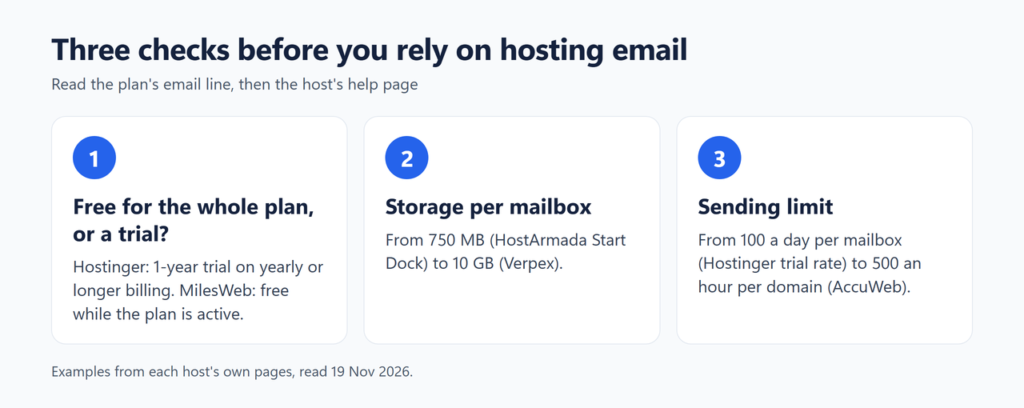
Three Things to Check Before You Rely on Hosting Email
1. Is it free for the whole plan, or a trial?
This is the biggest difference between hosts. Hostinger’s plan page lists “2 mailboxes per website – free for 1 year”. Its help page explains that this is a free trial of Hostinger Business Email whose length follows your billing period when you claim it: “1 month for monthly billing, 3 months for quarterly billing, and 1 year for yearly or longer”. The trial “runs until its own expiration date, so renewing your hosting plan doesn’t extend it”, and with a saved payment method the mailboxes “will automatically renew as a paid Hostinger Business Starter plan”.
At the other end, MilesWeb says email accounts “stay free for as long as your hosting plan is active”, with no separate email renewal charge. Most cPanel hosts in the table list email as a plan feature with no end date. If a plan page says “free for 1 year” or “free trial” next to email, put the end date in your calendar and check the renewal price, as you would for a free domain.
2. How much storage does each mailbox get?
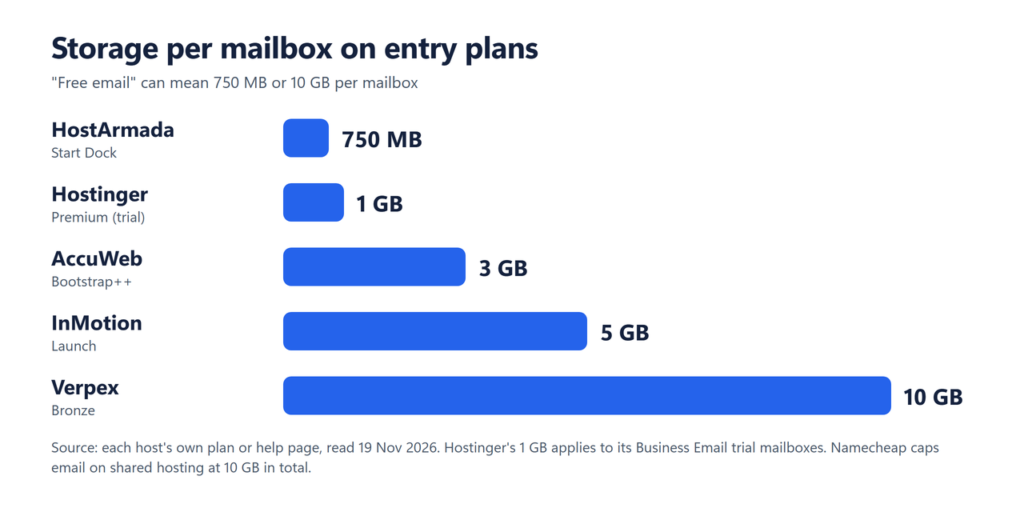
Storage decides how long you can keep mail before deleting it. HostArmada’s Start Dock gives 750 MB per mailbox, Hostinger’s trial mailboxes get 1 GB each (separate from the website’s storage), AccuWeb’s Bootstrap++ gets 3 GB, InMotion’s Launch gets 5 GB per inbox and Verpex gives 10 GB per mailbox. Namecheap says email storage on its shared hosting accounts “shall not exceed the 10GB limit”.
3. How many emails can you send?
Shared hosts cap outgoing mail to protect their servers’ reputation. Hostinger’s trial mailboxes have a rate of 100 messages a day each, Verpex allows 100 an hour, HostArmada 400 an hour, and AccuWeb says “you can send up to 500 emails per hour per domain”. That is plenty for everyday business mail and far too little for a newsletter list.
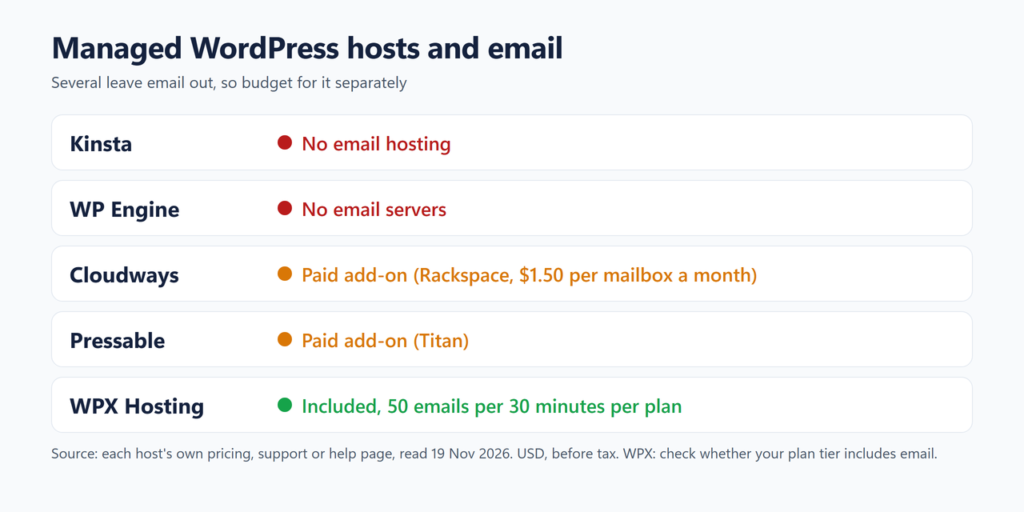
Managed WordPress Hosts Often Leave Email Out
Premium managed WordPress hosts focus on running WordPress and often leave email to specialist providers. Check before you move a site that already has mailboxes on the old host, so you know where your email will live after the move (our guide to web hosting with free migration covers the move itself).
| Host | Email included? | What its own site says |
|---|---|---|
| Kinsta | No | “we don’t provide email as part of our hosting plans” |
| WP Engine | No | “We do not provide nameservers or email servers” |
| Cloudways | Paid add-on | Rackspace mailboxes “at just $1.5/mailbox/month” |
| Pressable | Paid add-on | Email through a partnership with Titan, bought per site |
| WPX Hosting | Yes, with limits | “included with your hosting services for free”; 50 emails per 30 minutes per plan |
If you choose one of these hosts, budget for email separately. Our guide to what managed WordPress hosting costs compares the plans themselves.
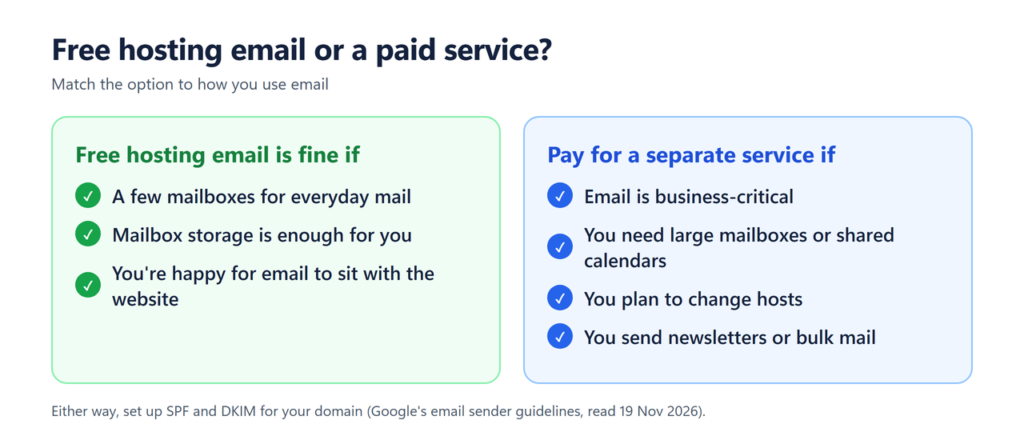
When It’s Worth Paying for Email
Hosting email runs on the same server as your website, usually on a shared IP address. InMotion’s plan page puts the risk plainly: if a “neighboring site gets flagged for spam, that can affect email deliverability”. A separate email service makes sense when:
- Email is business-critical and you want it to keep working if the website or host has problems.
- You need large mailboxes, shared calendars or office apps.
- You plan to move hosts: email that lives elsewhere doesn’t have to move with the site.
- You send newsletters or bulk mail. Use an email marketing service, not a hosting mailbox. Google requires senders of more than 5,000 messages a day to Gmail to set up SPF, DKIM and DMARC and offer one-click unsubscribe for marketing mail.
| Option | Price (USD, before tax) | Storage |
|---|---|---|
| Hostinger Business Email Starter (bought as a new plan) | $0.39 a month per mailbox on a 48-month term ($18.72 upfront), renews at $1.59 a month | 5 GB per mailbox |
| Google Workspace Business Starter | $7 per user a month on the annual plan; the monthly Flexible plan costs more | 30 GB of pooled storage per user |
| Zoho Mail Forever Free | $0, for one domain and up to 5 users; available only in select data centers | 5 GB per user; no IMAP or POP access |
How to Set Up Email on a Hosting Plan
- Create the mailbox in your hosting control panel (cPanel, hPanel or similar) and choose a strong password.
- Check that your domain’s MX records point to your host. If your domain’s DNS is managed somewhere else (your registrar or a DNS service such as Cloudflare), add the MX records your host gives you there.
- Turn on SPF and DKIM in the email or DNS settings, then send a test message to an outside address.
- Add the mailbox to your phone or mail app using the IMAP and SMTP settings shown in your control panel.
- Moving hosts? Create the same mailboxes on the new host before you change MX records, then copy old mail across with your mail app or the host’s migration tool.
On a managed WordPress host without email, WordPress’s own messages (password resets, form notifications, order emails) still need a way out: send them through your email provider’s SMTP service or a transactional email service with an SMTP plugin, and check with your host which option it recommends.
How to Get the Most From Free Hosting Email
- Create mailboxes only for people who need them; use forwarders for addresses such as info@ that just pass mail on.
- Connect the mailbox to your phone or mail app with IMAP, so mail stays in sync on every device.
- Clear large attachments regularly if your mailbox has 1 GB or less.
- Note the end date of any email trial, and turn off its auto-renewal if you won’t use it. See how to turn off auto-renewal.
- Count email in the running cost of your site: what a website costs per month shows worked budgets.
Frequently Asked Questions
Does web hosting include email?
Most shared and web hosting plans do. All 10 shared hosts in our table list email accounts on their entry plan, although Hostinger’s is a trial rather than a permanent feature. Among managed WordPress hosts, Kinsta and WP Engine don’t provide email, and Cloudways and Pressable sell it as an add-on.
Can I host my website and email separately?
Yes. Your domain’s DNS records decide where email goes, so you can keep the website on one host and use another provider for email. Many managed WordPress hosts expect you to do exactly that.
Is free hosting email good enough for a small business?
For a few people sending everyday mail, usually yes, provided the plan gives enough storage and you set up SPF and DKIM. Choose a dedicated service if you need large mailboxes, shared calendars, or email that’s independent of your website host.
What happens to my email if I cancel my hosting?
Mailboxes on a hosting plan usually go when the plan ends, so export or move your mail first. Hostinger’s help page says that when a trial ends without a payment method, you can upgrade manually or export your mail, and that “If your hosting plan expires before the trial ends, the trial is canceled.”
Is free email from a domain registrar the same as hosting email?
Not always. Some registrars offer email forwarding only, which passes mail to an address you already have but doesn’t give you a mailbox. A hosting plan’s email accounts are real mailboxes you can log in to. When you register the domain, also check whether privacy is included: see is domain privacy worth it.
The Bottom Line
Free email is one of the most useful extras on a shared hosting plan, as long as you check three things: how long it’s free, how much storage each mailbox gets, and how much you can send. If the plan’s email is a trial or you’re moving to a managed WordPress host, budget for a separate service. Browse hosting stores on Winporter for current offers, and check what hosting costs at renewal before you commit to a long term.
Sources checked on 19 November 2026: the web hosting, plan comparison and help pages of Hostinger (web hosting, mail trial, email limits and Business Email pages), MilesWeb, Namecheap (help article on Private Email and cPanel email), AccuWeb Hosting, InMotion Hosting, Verpex, HostArmada, ChemiCloud, InterServer and ScalaHosting; Kinsta’s email documentation; WP Engine’s scope of support; Cloudways’ pricing page; Pressable’s help article on email hosting; WPX’s email acceptable-use article and pricing page; Google Workspace’s pricing and billing help pages and Google’s email sender guidelines; and Zoho Mail’s pricing page.
