
Many hosts will move your existing website for free, but the offers differ in who does the work, how many sites are included and how long you have to ask. Among the merchants listed on Winporter, Cloudways, FlyingHost, ChemiCloud, Hosting.com, ScalaHosting, Verpex and WPX include free migration, and WP Engine provides automated migration. The details matter more than the label “free migration”.
This guide compares the offers, explains the difference between a managed migration and a do-it-yourself tool, and lists what to prepare so the move goes smoothly.
Hosts With Free Migration
| Store | What is recorded | Conditions recorded | Checked |
|---|---|---|---|
| Cloudways | Unlimited free website migrations | New customers; request within the first four billing cycles | 21 Oct 2026 |
| FlyingHost | Free managed migration | Comes with every new account, alongside the 14-day trial | 5 Nov 2026 |
| ChemiCloud | Free migration on its sale plans | Request it during signup | 22 Oct 2026 |
| Hosting.com | Free website migration included with plans | None recorded | 3 Nov 2026 |
| ScalaHosting | Free website migration with its cloud and VPS plans | None recorded | 30 Oct 2026 |
| Verpex | Free migration | None recorded | 4 Nov 2026 |
| WPX Hosting | Free migrations | None recorded | 4 Nov 2026 |
| WP Engine | Automated migrations | A migration tool rather than a done-for-you move | 22 Oct 2026 |

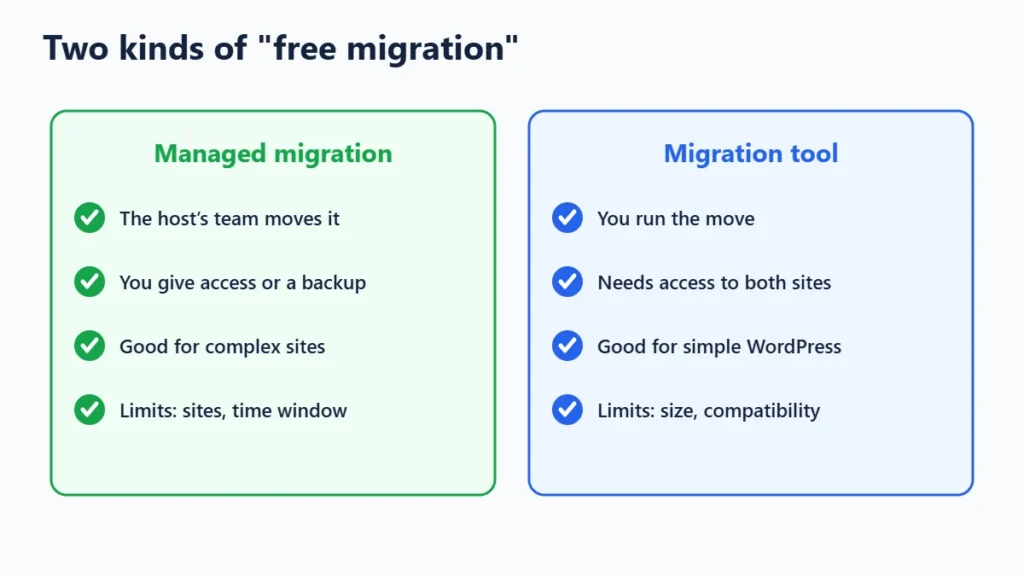
Managed Migration vs a Migration Tool
| Managed migration | Migration tool or plugin | |
|---|---|---|
| Who does the work | The host’s team | You, with the host’s tool |
| What you provide | Access to your old host or a backup | Your time, plus access to both sites |
| Best for | Larger or more complex sites, or if you are not technical | Simple WordPress sites |
| Typical limits | Number of sites, time window | Site size, plugin compatibility |
Questions to Ask Before You Rely on It
- How many sites are included? Some offers cover one site; Cloudways’ is unlimited, per our Cloudways page.
- Is there a time limit? Cloudways’ must be requested within the first four billing cycles; others may have a window after signup.
- Who does the work? A managed move or a tool you run yourself?
- Does it include email? Website migrations often cover files and databases but not mailboxes.
- Is there a size limit? Very large sites may need a paid migration.
- Does it need a particular plan or billing period? ChemiCloud’s applies to its sale plans, per our ChemiCloud page.
How to Prepare for a Migration
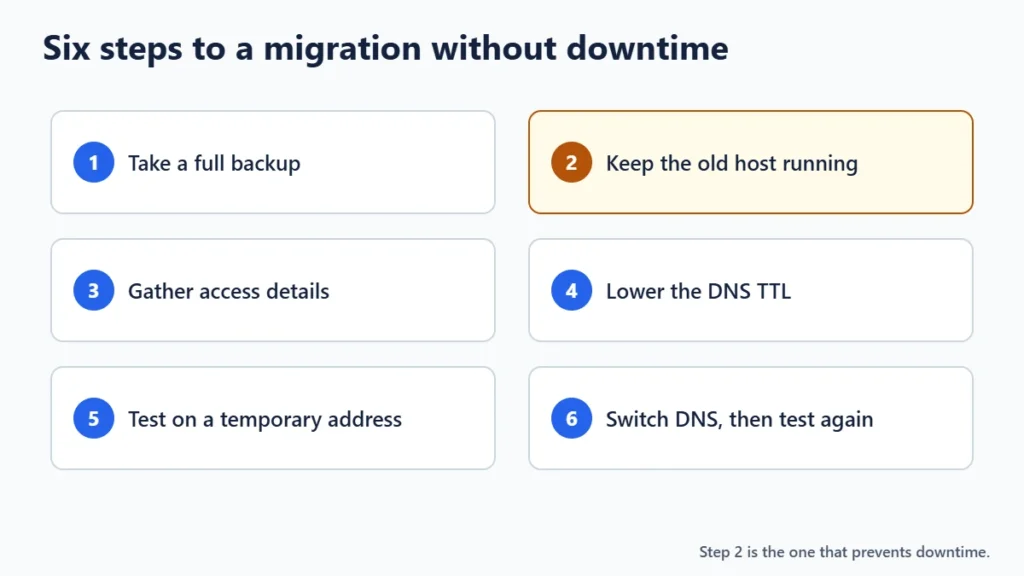
- Take a full backup of files and databases before anything moves.
- Do not cancel your old hosting until the new site is live and checked.
- Collect access details: the old host’s control panel, FTP or SFTP, and the WordPress admin.
- Lower the DNS TTL a day ahead if you can, so the switch takes effect faster.
- Check the new site on a temporary address before pointing your domain at it.
- Switch DNS, then test: pages, forms, checkout, email and SSL.
Common Problems and How to Avoid Them
- Missing email. If your email is hosted with your old host, set it up at the new one, or move it to a separate email service, before switching DNS.
- Mixed content or SSL errors. Make sure an SSL certificate is active on the new host before switching.
- Old caching or security plugins tied to the previous host can break things. Disable host-specific plugins after the move.
- Paying twice for longer than needed. Note your old host’s renewal date and cancel once the move is confirmed. Our guide to turning off auto-renewal helps.

Frequently Asked Questions
Which hosts offer free website migration?
Among the hosts listed on Winporter: Cloudways, FlyingHost, ChemiCloud, Hosting.com, ScalaHosting, Verpex and WPX, with WP Engine providing an automated migration tool. Check each store page for current terms.
Is free migration really free?
Usually, within limits: a number of sites, a time window or a size cap. Larger or unusual sites may cost extra. Ask before you sign up.
Will my site go down during migration?
Not if you keep the old hosting running until the new site is tested and DNS has switched over.
Does free migration include email?
Often not. Ask the host specifically, and plan your email move separately if needed.
The Bottom Line
Free migration is a real saving, especially for complex sites, but check who does the work, how many sites are covered and how long you have to ask. Keep your old host running until the move is proven. If you want to test a host before moving, see our guide to web hosting with a free trial, and each web hosting store on Winporter shows its current offer.
